
Clinic billing that shows who still owes you
Curogrid's billing screen is where a clinic raises bills and takes payment. It shows four numbers for the day: what is still to collect, what was taken (split by UPI, cash and card), what was billed, and bills started but not saved. Below them is every bill, with a Take payment button on each one that is not fully paid.
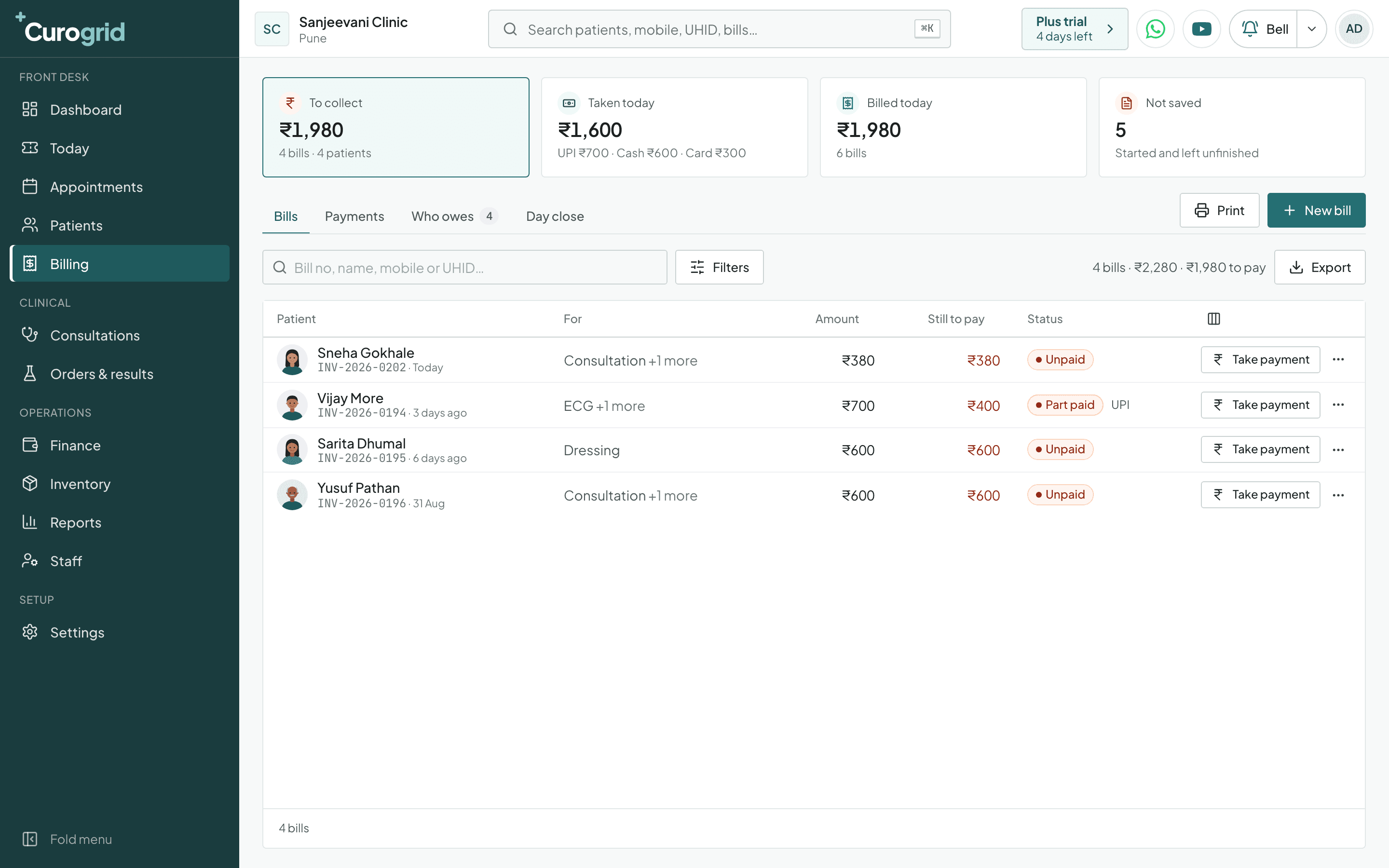
How does billing work in Curogrid?
- UPI, cash and card, counted apart
- Taken today is split by how it was paid, so the cash in the drawer and the money in the bank can each be checked against the screen.
- Part payments are normal
- A bill can be Unpaid, Part paid or Paid. Take payment records what came in today, and the rest stays against the patient's name.
- Who owes
- One tab lists every patient with money outstanding. The dashboard also flags a bill that has been unpaid for over 30 days.
- Day close
- At the end of the day, close it: one place to check what was billed and what was collected before the drawer is counted.
- Services priced once
- Your services and fees are set up once, starting from your speciality's list. A bill is then a few taps, and every bill has its own number in your series.
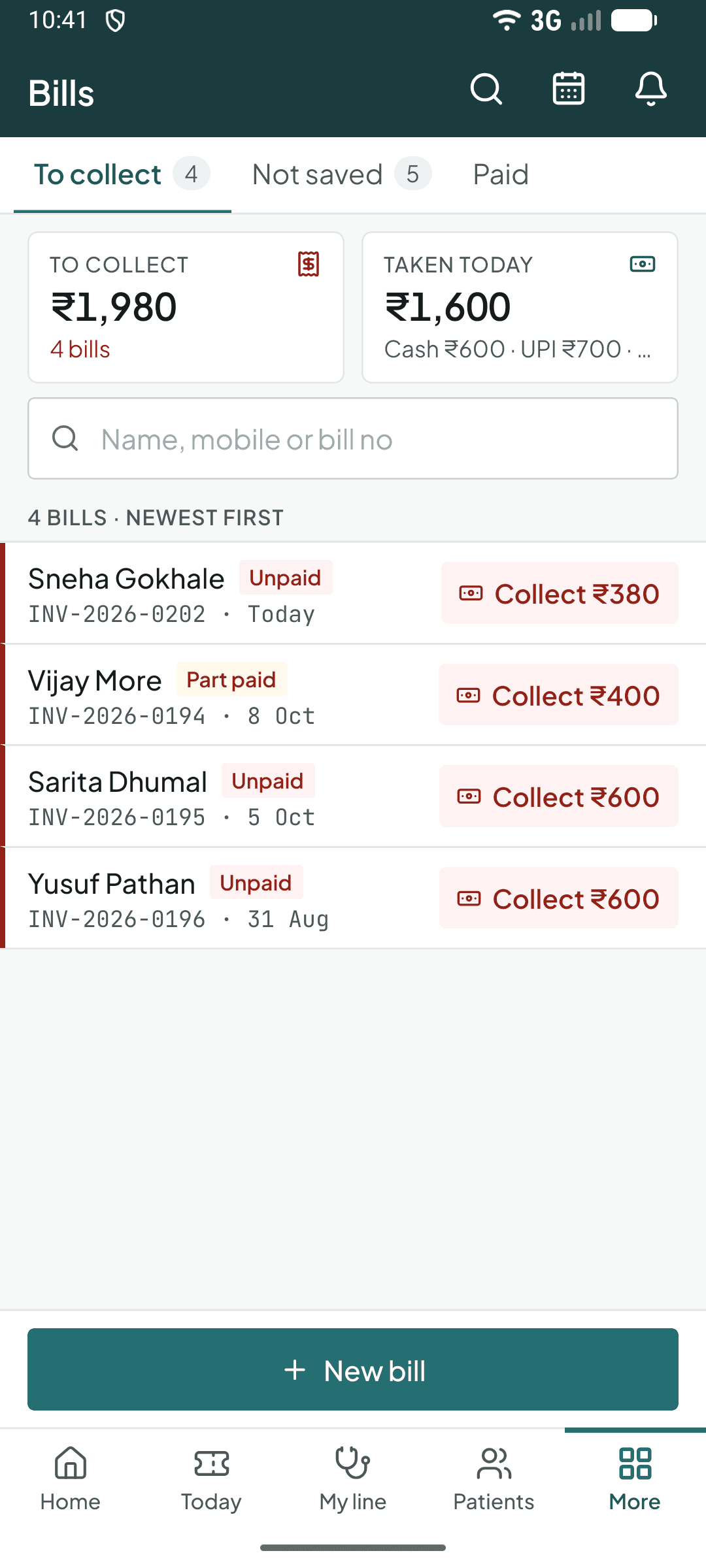
The same thing on the phone app.
Billing at a glance
| Numbers on top | To collect, Taken today, Billed today and Not saved |
|---|---|
| Lists | Bills, Payments, Who owes and Day close |
| A bill can be | Not saved, Unpaid, Part paid, Paid or Cancelled |
| Ways to pay | UPI, cash and card, each counted apart |
| Getting it out | Print, and Export on the bills, payments and who owes lists |
From the blog: How to track session packages and what has been paid
Questions about billing
Yes. A bill can be part paid. Curogrid keeps what is still to pay against the patient and lists it under Who owes.
Yes. Each payment is recorded as UPI, cash or card, and the day's total is shown split the same way.
Yes. The billing screen has Print and Export buttons, and filters to narrow the list first.
Yes. Reports has a GST report that shows tax by rate with the HSN and SAC summary, for the dates you choose.
The other main screens
Tokens and the waiting line
A token for every walk-in, and a line the whole clinic can see.
Appointments
A column for each doctor, and a whole course booked at once.
Patient files
Allergies up top, then every visit, prescription, test and bill.
Specialities
It works the way your speciality does
The same screen uses different words, services and lists for each kind of clinic.
- General practiceA busy OPD: tokens, a quick check-up, an allergy warning, prescription templates.Curogrid for general physicians
- PaediatricsWHO growth charts, the vaccine schedule from birth, syrups and drops first.Curogrid for paediatricians
- GynaecologyWeeks and due date from the LMP, the baby week by week, the antenatal plan to 40 weeks.Curogrid for gynaecologists
- Skin and hairBefore and after photos side by side, acne and hair loss grades, laser and peel settings.Curogrid for dermatologists
- ENTThe audiogram drawn from the visit, each ear's WHO grade, both ears side by side.Curogrid for ENT specialists
- PhysiotherapyAssessment with a body map, home exercises by picture, courses of sessions and home visits.Curogrid for physiotherapists
- EyeEach eye side by side, high pressure flagged, the glasses prescription printed.Curogrid for ophthalmologists
- OrthopaedicsThe injury on a body map, the plaster's checks to 6 weeks, physiotherapy alongside.Curogrid for orthopaedic surgeons
- General surgeryThe surgical OPD, a before-surgery checklist, dressings and stitches out laid out.Curogrid for general surgeons
- DiabetesHbA1c over time, home sugars and insulin, the yearly checks done or due.Curogrid for diabetologists
Try Curogrid in your own clinic
The trial is 5 days of the Pro plan. Pick your speciality, and the services, medicines and booking are set up before your first patient.